
·
Points Trading Market — User Guide | 3.3
The Points Trading Market lets users buy and sell points directly, priced in USDC, with every transaction settled via blockchain inscription.
What Are Points Used For?
Action | Points Required |
|---|---|
Create a post | Costs 2 points (refunded on deletion) |
Create a topic | Must hold 500+ points |
VIP status | Must hold 500+ points |
Points are earned through likes and community engagement — or you can buy them directly on the market.
Selling Points
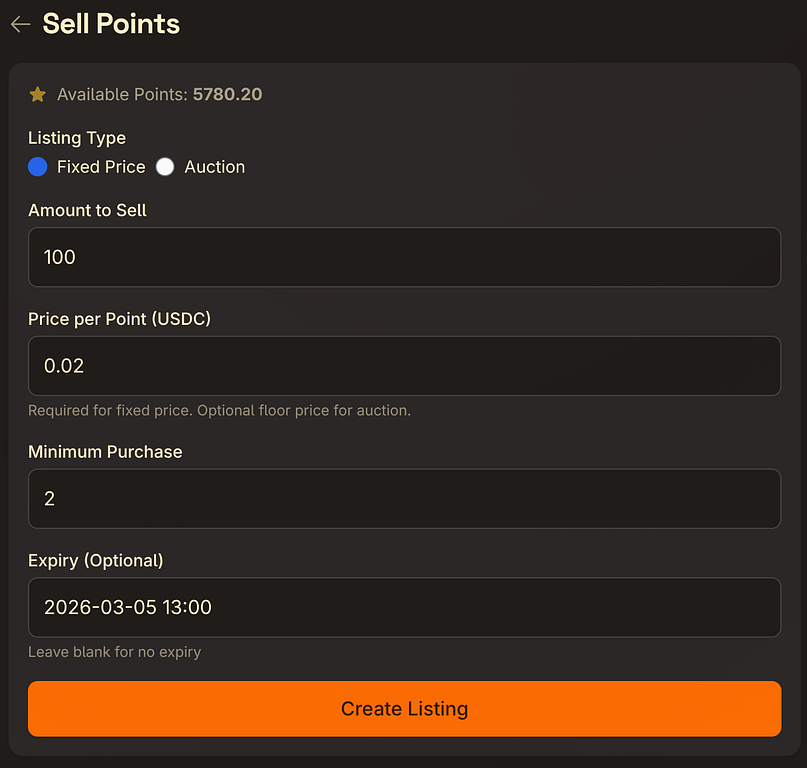
- Go to the Points Market and tap Sell Points
- Choose your listing type:
- Fixed Price — set a per-point price; buyers purchase immediately
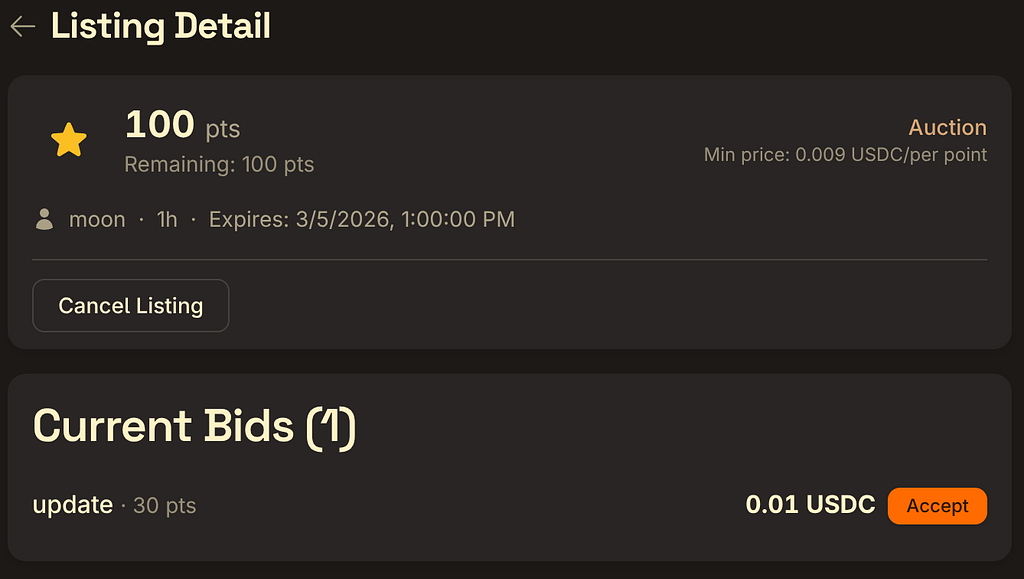
- Auction — buyers place bids; you choose which to accept
- Fill in the amount, price per point (USDC), and minimum purchase quantity
- Optionally set an expiry time — the listing auto-cancels and points are returned when it expires
- Submit — your points are frozen immediately and the listing appears in the market
You can cancel a listing at any time; frozen points are returned instantly.

Buying Points
Fixed Price
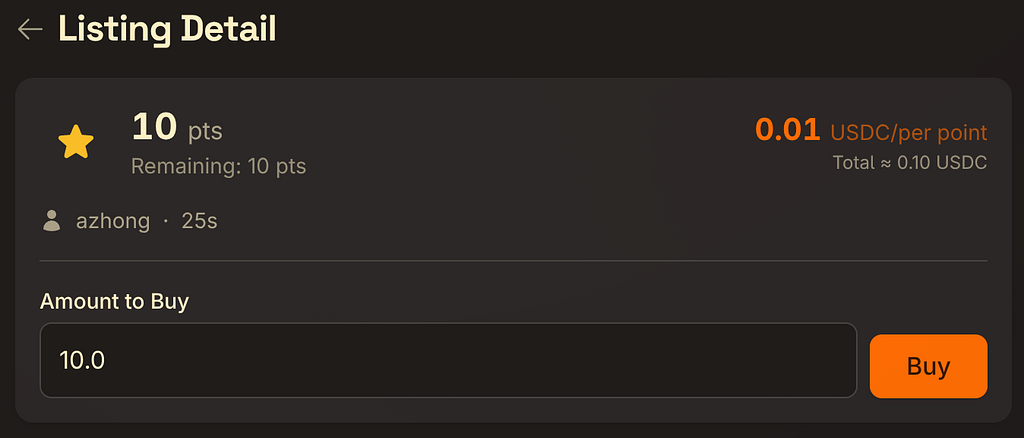
- Browse the market and open a listing
- Enter the amount you want to buy and tap Buy Now
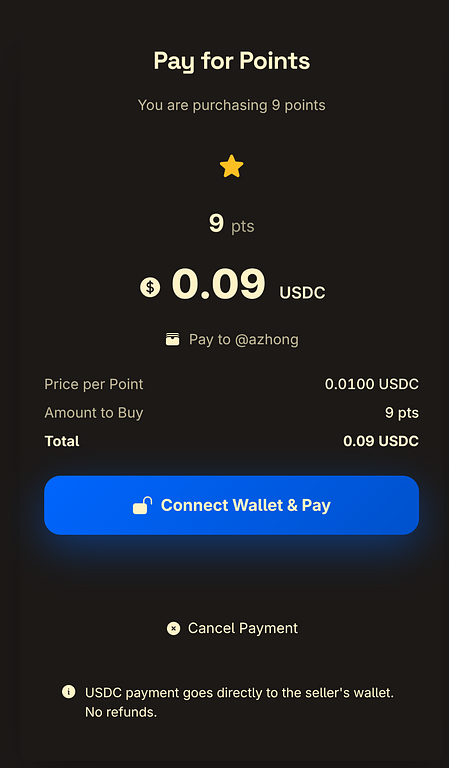
- You'll be redirected to the payment page — pay with on-chain USDC
- Once payment is confirmed, points are credited to your account

Auction
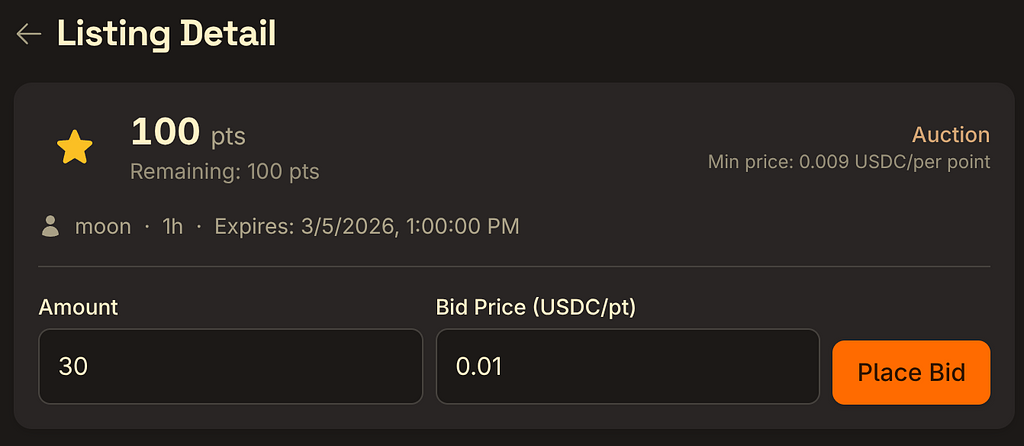
- Open an auction listing, enter your bid amount and price per point
- Tap Place Bid and wait for the seller to review
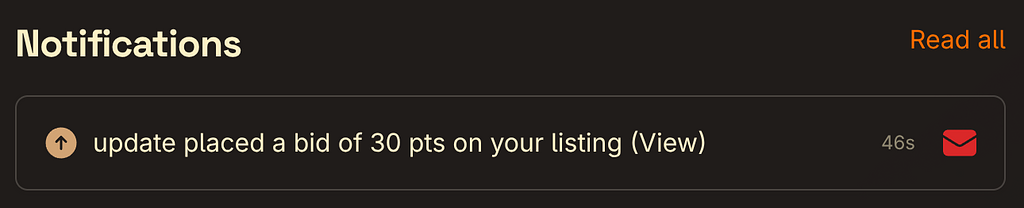
- If the seller accepts, you'll receive a notification — tap through to complete payment
- Points are credited once payment is confirmed



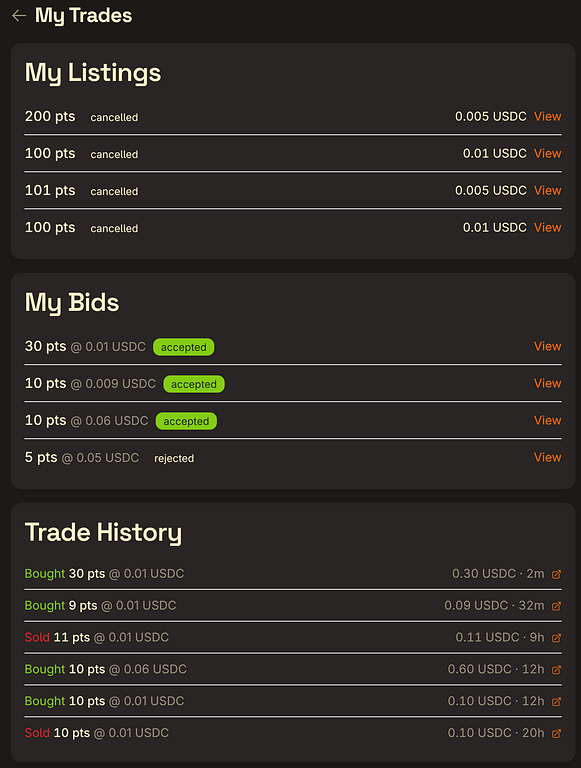
On-Chain Settlement
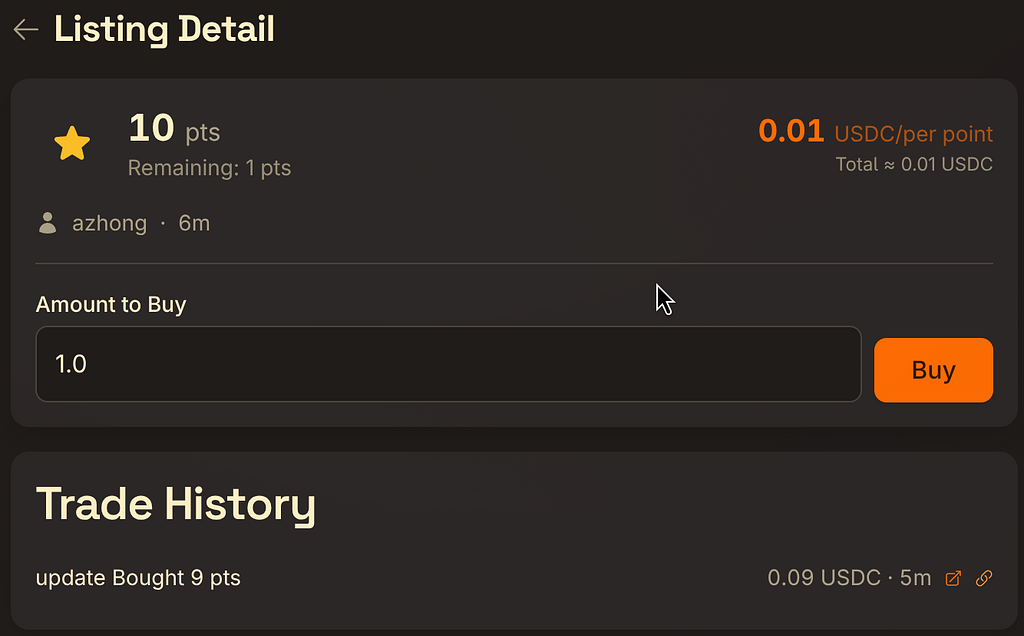
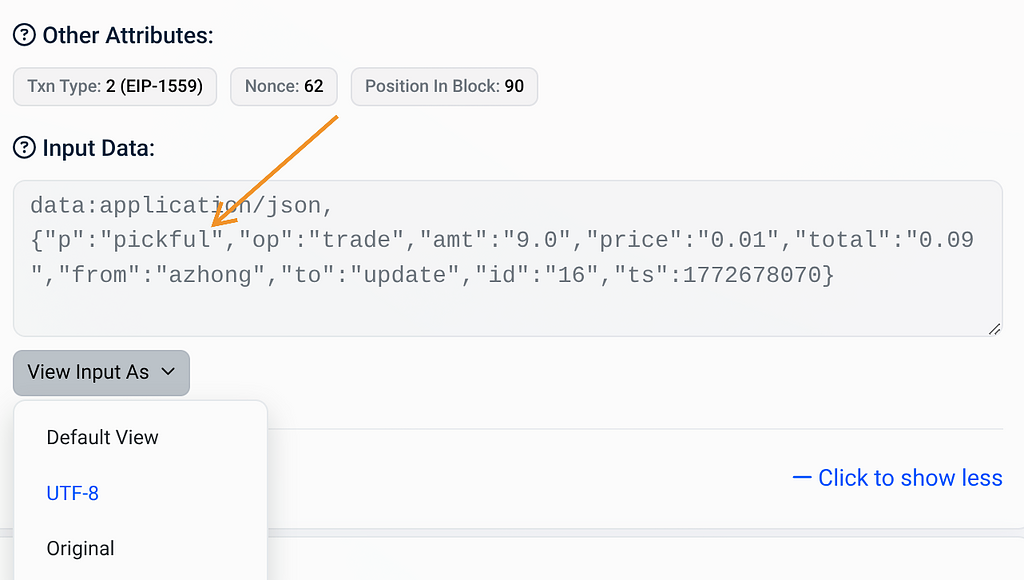
Every completed trade is recorded via a blockchain inscription — publicly verifiable in any block explorer. You'll find the inscription link in the trade history.
Things to Know
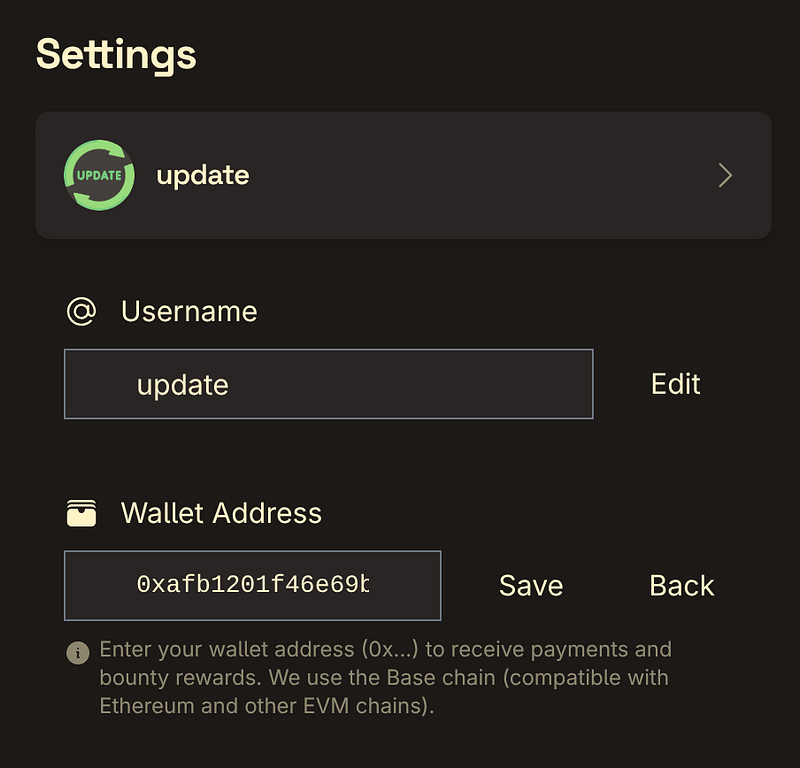
- Make sure your wallet address is linked before selling (set it in Settings)
- Listed points are frozen and don't count toward your usable balance
- Payments are in USDC on supported chains
- In auctions, sellers can accept or ignore any bid
- When a listing expires or is cancelled, frozen points are automatically returned
Questions? Ask in Pickful Tech & Product.
转发此帖子?
与您的关注者分享。
回复